Have you ever been in the middle of a new design and found yourself in need of accurate 3D models of your vendor’s part so you can sort out how to interface their design with yours? What is your first instinct? Do you ask the vendor if they have models readily available? Or do you just draw up your own model?
With EXAIR products, there is no need to go it alone and produce your own model. We have 3D models of just about every product we manufacture. For those models we do not have available through our website, a simple request through our Application Engineering department at techelp@exair.com is all that is needed to begin the process of getting what you need.
CAD Options on EXAIR.com
We are engineers here, so we know the benefit of popping a 3D model into your assembly to make sure it fits, and you are going to be able to plumb and mount it correctly. That is why we have taken the time to build out such a large offering when it comes to 3D and 2D files for 90% of our items.
Our 3D models and CAD drawings are available in over sixty native formats for each product. Registered users can simply log in and go to the EXAIR CAD Library to navigate to the right model. If you haven’t registered yet, do it now. If you have not taken advantage of our CAD Library, we encourage you to do so as well!
We are always looking for ways to make the process of getting as much information to you as fast and seamless as possible! In the past, you have been able to request that we mail you a full physical catalog, or one of our application engineers could email you the section you were after! But something big is coming to the website this March! Introducing EXAIR’s fully digital and interactive Catalog!
This tool will allow us to get information directly into your hands, and you can even order by clicking the product number in the catalog! Let’s break down a few of the features, identified by the red numbers above the symbol!
This is the print function. You can print single pages or the entire catalog!
This will open a Table of Contents on the left side of the screen, so you easily jump to the product section you are interested in!
This will allow you to switch between a single page view or a double page view!
You can use this to share the page you are on, you can share via Facebook, X (Twitter), Email, Linked In, Pinterest, or just copy a link you can share however you want!
This is the navigation block. You can use the arrows to jump a single page at a time or front to back. You can also type in a page number in the middle block to jump right to a specific page.
This will open each page’s thumbnail in the lower pane.
Click this to download the entire catalog as a PDF, or just a selected number of pages!
If you have a part number, and you want to search for it, use the magnified glass.
This gives you the ability to put a note on a page you can refer back to later! And will be shown when you print that page!
This will allow you to select from the catalog and paste it somewhere else like a presentation or project scope!
User Guide to help you use and navigate the online catalog.
This is one of the handiest features, allowing you to build your own catalog with just the pages you are after!
EXAIR uses many different methods to connect with our customers. We have our website, social media, blogs, publications etc. We like to share solutions to some of the most common pneumatic problems in industry. EXAIR generates a large collection of application information where EXAIR products have already solved problems and improved processes. We organized them by Application and by Industry. In this blog, I will show you how to use our Application database; specifically, for the Medical Industry.
Vortex-based products used to cool skin during air removal laser surgery
Compressed Air Systems are considered to be a fourth utility within industries because they use a large amount of energy. Whether an air compressor that uses fuel for portable units or that uses electricity, it is important to use this system as efficiently as possible. This would also apply to the automotive industry. EXAIR has a library of different processes in which we have already improved these areas safely and efficiently. If you are part of the automotive industry, it could benefit you to take a peek at the areas that we have already improved, established OSHA compliant safety measures, and saved money.
Drying medical Bins with the Super air Amplifier!
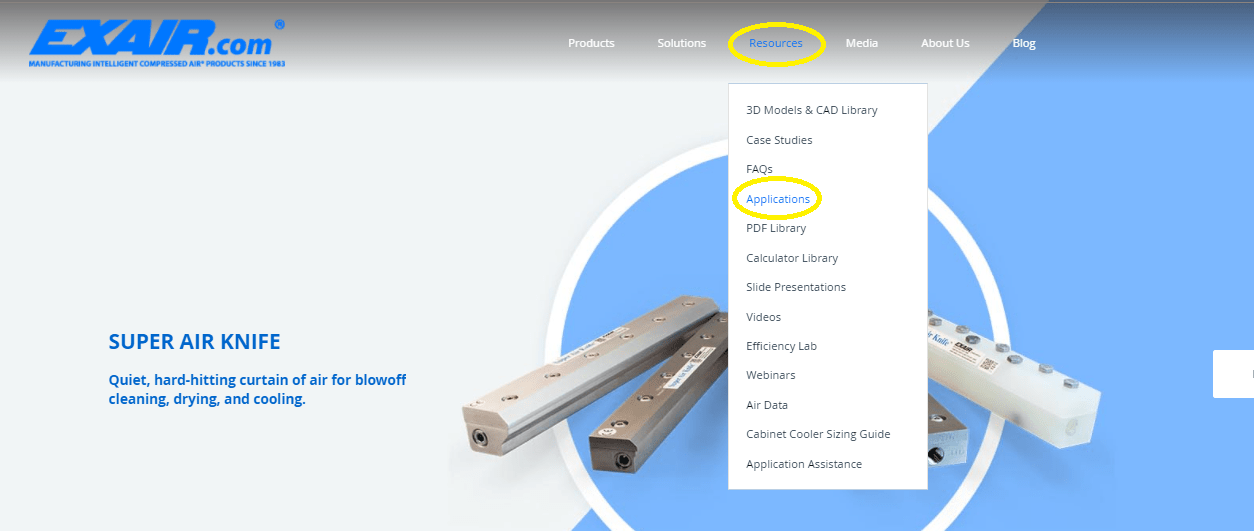
Here is how you can find this library. First, log into EXAIR.com. Click here: Log In. Once you fill in the proper information, you can then retrieve tremendous amounts of resources about EXAIR products. The Application database is under the Resources tab. (Reference photo below).
EXAIR Application Data Base
Within the Application Search Library, we have over one thousand applications referenced. In the left selection pane, we organized them in alphabetical order under two categories: Application and Industry.
Scroll down in the selection pane until you come to the sub-category: Industry. Under this Sub-category, you will find three selections that are related to this blog: Medical, Health and Beauty, and Healthcare. We have other applications as well that may relate to your specific processes if you scroll up and down the list. You will find many product applications that have already improved processes and solved problems.
Why is this important? If you are a plant manager or owner, the value of the Application Database can improve your current processes with pre-qualified results. Within the automotive industry, simple solutions can be found to address those “nagging” issues that you see every day. For crisis situations and shutdowns, EXAIR categorized these applications in a way to reference quickly and easily. And since EXAIR has a high volume of stocked items, we can get the parts to you very fast, so you can quickly be on your way to a solution.
In today’s market, companies are always looking for ways to cut cost, increase productivity, and improve safety. EXAIR offers engineered products to do exactly that. With the “been there and done that” solutions already described in the Application Database, you can have confidence in finding a way of solving pneumatic issues. If you do not sign up at www.EXAIR.com and take advantage of these offerings, you will be missing out on a great tool to optimize your compressed air system.
Our digital team is always on the lookout for ways to keep our site updated and useful! You have always been able to order and download 2D and 3D files for our stock items. Not to mention the abundant amount of application and product information found in our resources tab! But recently they added the ability to view the item in your space, via the AR function on a capable mobile phone! They are rolling the items out slowly-but the photos below are the 110003, 3″ Super Air Knife! I have this lined up next to a knee implant to see if it would cover the area I need to hit with air!
NEW AR Mode showing a 110003 3″ Super Air Knife
Now comes the question of how to make it work? When you head over to EXAIR.COM, go to the product page of the item you want to see. When that product page is loaded, the first thing you will see are some photos of the item. The active ones for that item will look just like the view to the left. Just hit View in your Space, and select a surface you want the product to sit on. In the photo above I was just sitting at my desk!
This is a great tool to fully visualize how a product will look in your assembly. Or to get an idea of how big an item is in relation to something else!
We hope this tool gives you the ability to see our products within your applications in a way never before possible, and on your time! But don’t forget, we have a full team of Application Engineers here 7am-4pm EST ready to answer any questions you may have or help you size or determine which product is best for your application!