Choosing the Right EXAIR Cabinet Cooler System

EXAIR Cabinet Coolers are compressed air-powered systems that use vortex tube technology to deliver cold air into sealed enclosures, preventing overheating without refrigerants or moving parts. They’re durable, easy to install, and designed for various environments, making them a cost-effective alternative to traditional air conditioners or heat exchangers. Key benefits include:

  • No moving parts: Virtually maintenance-free with a long lifespan.
  • Compact design: Installs in minutes through a standard electrical knockout.
  • Environmental resistance: Available in NEMA 12, 4, 4X, and Hazardous Location ratings.
  • Energy efficiency: Thermostat-controlled systems minimize compressed air use.

To ensure you select the right model, follow these steps.

First Calculate the Heat Load

The total heat load includes:

  • External heat load: Heat transferred from the ambient environment, based on enclosure surface area and the temperature differential (ΔT) between external and desired internal temperatures.
  • Internal heat load: Heat generated by components inside the enclosure.
  • Solar heat load (if applicable): For outdoor enclosures exposed to sunlight, factor in heat absorption based on the enclosure’s color (darker colors absorb more heat).
  • Existing Cooling Devices: If fans are currently used, note their diameter or airflow (CFM) to account for the heat they remove, as these openings must be sealed when installing a Cabinet Cooler.

EXAIR’s Cabinet Cooler System Calculator simplifies this process. Enter your data online for an instant model recommendation, or submit the Sizing Guide to an EXAIR Application Engineer for assistance. For quick calculations, you can call EXAIR at 1-800-903-9247, and an engineer can estimate the heat load in minutes.

This NEMA 4 Dual Cabinet Cooler System protects a critical equipment panel on a hot roll steel line.

Second, select the Appropriate NEMA Rating

EXAIR Cabinet Coolers are designed to maintain the environmental integrity of your enclosure, with models available for different conditions. Choose a NEMA rating based on your application’s environment:

  • NEMA 12 (IP54): For indoor use, protecting against dust and oil. Ideal for general factory settings.
  • NEMA 4 (IP66): For indoor or outdoor use, offering dust, oil, and splash resistance. Suitable for wash-down areas or wet environments.
  • NEMA 4X (IP66): Same as NEMA 4 but made of corrosion-resistant stainless steel (Type 303 or 316). Perfect for food processing, pharmaceutical, or corrosive environments.
  • Hazardous Location (HazLoc): UL Classified for Class I Div 1, Class II Div 1, or Class III areas or ATEX Zones 2 & 22. Used in environments with explosive gases or dust, such as chemical plants or coal facilities. Must be paired with a purge and pressurization system.
  • High Temperature: For ambient temperatures of up to 200°F (93°C), such as near furnaces or in desert climates.

Ensure the Cabinet Cooler’s NEMA rating matches or exceeds your enclosure’s rating to maintain its integrity. For example, a NEMA 4X enclosure requires a NEMA 4X Cabinet Cooler.

From right to left: Small NEMA 12, Large NEMA 12, Large NEMA 4X

Third, choose the Operating System

EXAIR offers two operating modes to suit different cooling needs:

  • Thermostat-Controlled Systems: These are the most energy-efficient option, using a thermostat and solenoid valve to activate cooling only when the internal temperature exceeds the setpoint (preset at 95°F but adjustable). Includes a filter, cold air distribution kit, and solenoid valve (available in 120Vac, 240Vac, or 24Vdc). Ideal for enclosures with fluctuating heat loads or seasonal temperature changes.
  • Continuous Operating Systems: Provide constant cooling and positive pressure to keep out dust and debris. Best for applications requiring uninterrupted cooling or in extremely dirty environments. Includes a filter and cold air distribution kit.

For precise temperature control, consider adding an Electronic Temperature Control (ETC), which offers digital monitoring and easy temperature adjustments, especially useful in sensitive applications like pharmaceutical plants.

Fourth, Consider Additional Options

EXAIR provides accessories and features to tailor the Cabinet Cooler to your needs:

  • Non-Hazardous Purge (NHP): Delivers a 1 SCFM airflow to maintain positive pressure when cooling isn’t needed, keeping dust and debris out of the enclosure.
  • Side Mount Kits: Allow installation on the side of the enclosure if top mounting isn’t feasible due to space constraints for the NEMA 4 and 4X coolers.
  • High-Temperature Models: Designed for ambient temperatures between 125°F and 200°F (52°C–93°C).
  • Material Options: Standard models use aluminum, while NEMA 4X models offer Type 303 or 316 stainless steel for corrosion resistance.
  • Voltage Options: Solenoid valves for thermostat-controlled systems are available in 120Vac, 240Vac, or 24Vdc to match your electrical setup.

Final Tips for Success

  • Act Early: Install a Cabinet Cooler before heat-related failures occur, especially in summer or high-temperature environments.
  • Plan for Installation: Ensure all enclosure openings (e.g., fan vents) are sealed to maintain positive pressure and prevent contamination.
  • Monitor Performance: Use the ETC for real-time temperature monitoring in critical applications.
Inside, outdoors, high temperature, dirt/dust/humidity, corrosive and classified environments are no problem for EXAIR Cabinet Cooler Systems

Choosing the right EXAIR Cabinet Cooler involves calculating your heat load, selecting the appropriate NEMA rating, deciding between thermostat-controlled or continuous operation, and ensuring a reliable compressed air supply. By using EXAIR’s Sizing Guide or Calculator and consulting with myself or any one of our Application Engineers, you can confidently select a system that protects your electronics, minimizes downtime, and saves on maintenance costs.

Ready to cool your enclosures? Visit EXAIR.com to explore Cabinet Cooler options, use the Cabinet Cooler System Calculator, or contact an Application Engineer at 1-800-903-9247. Keep your electronics cool and your operations running smoothly with a EXAIR Cabinet cooler system.

Jordan Shouse, CCASS

Application Engineer

Send me an email
Find us on the Web 
Like us on Facebook
Twitter: @EXAIR_JS

Customized Cooling

Have you ever walked through a production facility and actually looked at and in electrical cabinets? If you did, you would find very few that are identical and even ones that are similar sizes; the internals can be drastically different. When I was in the metal cutting industry customizing, installing, and servicing CNC machines, the same model machine may have different drives for an extra option and can easily add additional heat load to the panel. Bring this up because it’s time we talk about how the dimensions of a panel are not enough to select the level of cooling needed.

Some manufacturers of air movers and “traditional” enclosure cooling method devices will use merely the dimensions of a panel to estimate a heat load and then treat the panel for the worst case scenario. Sometimes it may even be a worst-case scenario for that size of panel. I’m here to tell you from experience that’s not always the best option. This is why we like to have additional information, an “inside man” on the panel, if you will. We want to know exactly what kind of air temperatures we are seeing so that we can use that information combined with some math to determine an acceptable heat load that needs to be dissipated.

The information permits us to size the Cabinet Cooler system for your exact panel; even if you have two that are the same size but one of them has some additional drives or circuits running through it, we can account for that. The reason it is essential to size each panel that has anything different in it is that all devices have some level of efficiency. So the power they consume isn’t 100% converted into their intended function. This results in some level of heat generation. That means different internal components, and different heat loads, easy as that.

This is one of the reasons we took so much care when designing and refining our Cabinet Cooler Calculator. Each variable will impact the heat load and model selection for the Cabinet Cooler System. Some major factors, such as solar heat load and cabinet color, are even accounted for when panels are located outside. We even account for existing fans that will need to be removed to seal the panel. This is because all of these factors directly affect the amount of cooling needed.

Suppose you are looking to cool down some electrical cabinets throughout your facility and want to fully understand what heat load you may need to dissipate and maintain a safe operating environment; check out our Cabinet Cooler Calculator, or contact an Application Engineer today. In that case, we can size the system while we are talking on the phone with you.

Brian Farno
Application Engineer
BrianFarno@EXAIR.com
@EXAIR_BF

Video Blog: Cabinet Cooler® System Calculator

In may I wrote a Blog Announcing our new Calculator tool on EXAIR.COM! You can read it here!

The Video below will walk you through how to get the information you need to fill the form in, and take you all the way to final where you can add it to your cart!

By providing certain information like size of the enclosure, NEMA rating needed, and environmental conditions, this new calculator will sort through our large selection of ready-to-ship Cabinet Cooler® Systems and provide instant feedback on the best model number for any applicable electrical enclosure.  Taking the guess work out of the equation, EXAIR’s Calculator ensures the customer that they can be confident in selecting the correct product for their unique specifications. You can even Print the form for your records!

If you have any questions or need additional support with the Sizing Calculator please reach out to one of our application Engineers give us a call. Or shoot us an email to techelp@exair.com

Jordan Shouse
Application Engineer

Send me an Email
Find us on the Web 
Like us on Facebook
Twitter: @EXAIR_JS

Cabinet Coolers: How to Determine Heat Loads

As summer continues, electrical panels will continue to overheat and cause problems within your process lines.  Freon-based coolers can be less effective in higher ambient conditions; and opening the electrical panels to have a fan blow inside creates a dangerous hazard.  The electrical industry states that for every 10oC rise above the operational temperature, the life of an electrical component is cut in half.  To reduce loss in production and premature equipment failures, it is important to keep electrical components cool.  The EXAIR Cabinet Cooler Systems are designed to do just that. 

From right to left: Small NEMA 12, Large NEMA 12, Large NEMA 4X

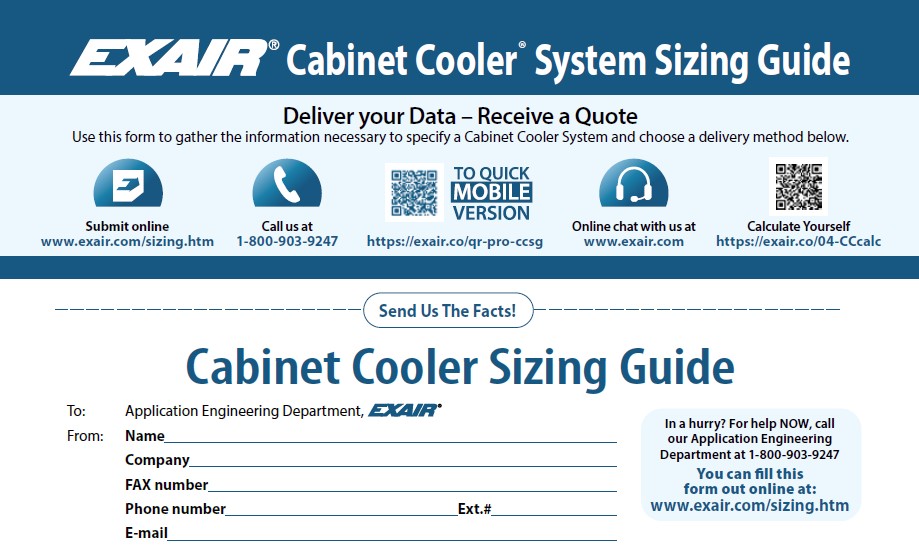
To find the correct type and size, we need some information about your electrical panel.  EXAIR makes it easy with the Cabinet Cooler Sizing Guide.  This sheet goes over the important details to find heat loads, proper NEMA type, and options for easy installation.  With a filled-out form, we can make sure that the correct model is recommended.  First, we have to start with the surface area of the electrical panel.  From here, we can do some heat load calculations to compare it with the proper cooling capacity. 

To properly reduce the temperature internally, we need to calculate how much heat is being generated.  Heat loads come from four main areas; internal, external, fan, and solar.  From these four, we can add them together to get the total heat load.  So, on the hottest day of the hottest month, the EXAIR Cabinet Cooler System will still keep your electronics cool.  Here are some methods to find the information needed for heat load calculations.

Internal Heat Load:  The internal load is the heat generated from inside the electrical panel.  This heat is produced from the inefficiencies of electrical devices.  There are two ways that we can figure out the internal heat load.

Step A: The simplest way is by hanging a piece of metal like a washer inside the panel for about 15 minutes.  We can get an average temperature inside.  In the sizing guide, you can mark the temperature next to “Internal temperature now”.  To calculate the heat load, we will need the external temperature at the same time you measured the piece of metal.  This temperature difference can determine the internal heat load per surface area of the panel.  See the chart below.

Step B:  if you know the electrical components inside that generate heat, a list can be made with volt/amp ratings, or watts.  This is very useful for new panels.  The major devices would be VFD (Variable Frequency Drives), power supplies, UPS, transformers, thyristors, etc.  We can calculate the inefficiency of the electrical components which will give us the internal heat load.

External Heat Load:  To keep the electronics cool on the hottest day, we will need to know the highest external temperature that the panel will see.  This can include the temperature that is near an oven.  This can be marked in the Max External Air Temperature Possible.  We can compare this to the Max Internal Air Temperature Desired.  Most electrical components are designed to operate at 95oF (35oC).   With the same chart as above, you can use the temperature difference to determine the external heat load per surface area of the panel.

Panel Fans:  To control the environment inside the electrical panels, we need to block all openings and vents.  And this will include removing panel fans if they are installed.  The Cabinet Cooler System will blow dry cold air to push out the hot humid air from the electrical panel back through the Cabinet Cooler.  Since we are removing a “poor” cooling device, we still need to add this to the heat that is being removed.  You can either give the diameter of the fan or the flow of the fan. 

Solar Heat Load:  The solar heat is only needed if the panel is located outside without cover and exposed to sunlight.  For this type of heat load, we will need to know the color of the electrical panel.  Lighter colors will not absorb as much heat as darker colors.

Because there is so much information that is critical for proper sizing, EXAIR also created a Cabinet Cooler System Calculator to give you a good recommendation to keep your electronics cool. I gave some examples above on how to find the heat loads.  Electrical shutdowns are expensive and annoying.  If you have interruptions from high internal temperatures, EXAIR Cabinet Coolers are a great solution.  They can be installed quickly and easily.  With no moving parts or costly preventative maintenance needed, they can run for decades in keeping your electronics cool.  For our U.S. and Canadian customers, you will receive an AC Sensor for free, a $65.00 value, as a promotional item from now until the end of August 2022 with qualified purchases.  How can you not give them a try?  If you have any questions about Cabinet Coolers or the Sizing Guide, you can contact an Application Engineer at EXAIR.  We will be happy to help.

John Ball
Application Engineer
Email: johnball@exair.com
Twitter: @EXAIR_jb